Duplicate file finder for Windows

Reclaim your storage.
Keep only the best copy.

Your drive is full of the same file, saved five times. Deduplo finds every copy — photos, videos, audio, documents — even the ones that were resized, re-saved or edited, and keeps the best one. Nothing goes without your say-so, and nothing is gone for good unless you choose Erase.

Free to download. Scan your whole library, see every duplicate and exactly what it is costing you, and spend your first 5 clean-up credits (an ordinary set is one) — no account, no cloud, no time limit. The licence is what lifts the limit.
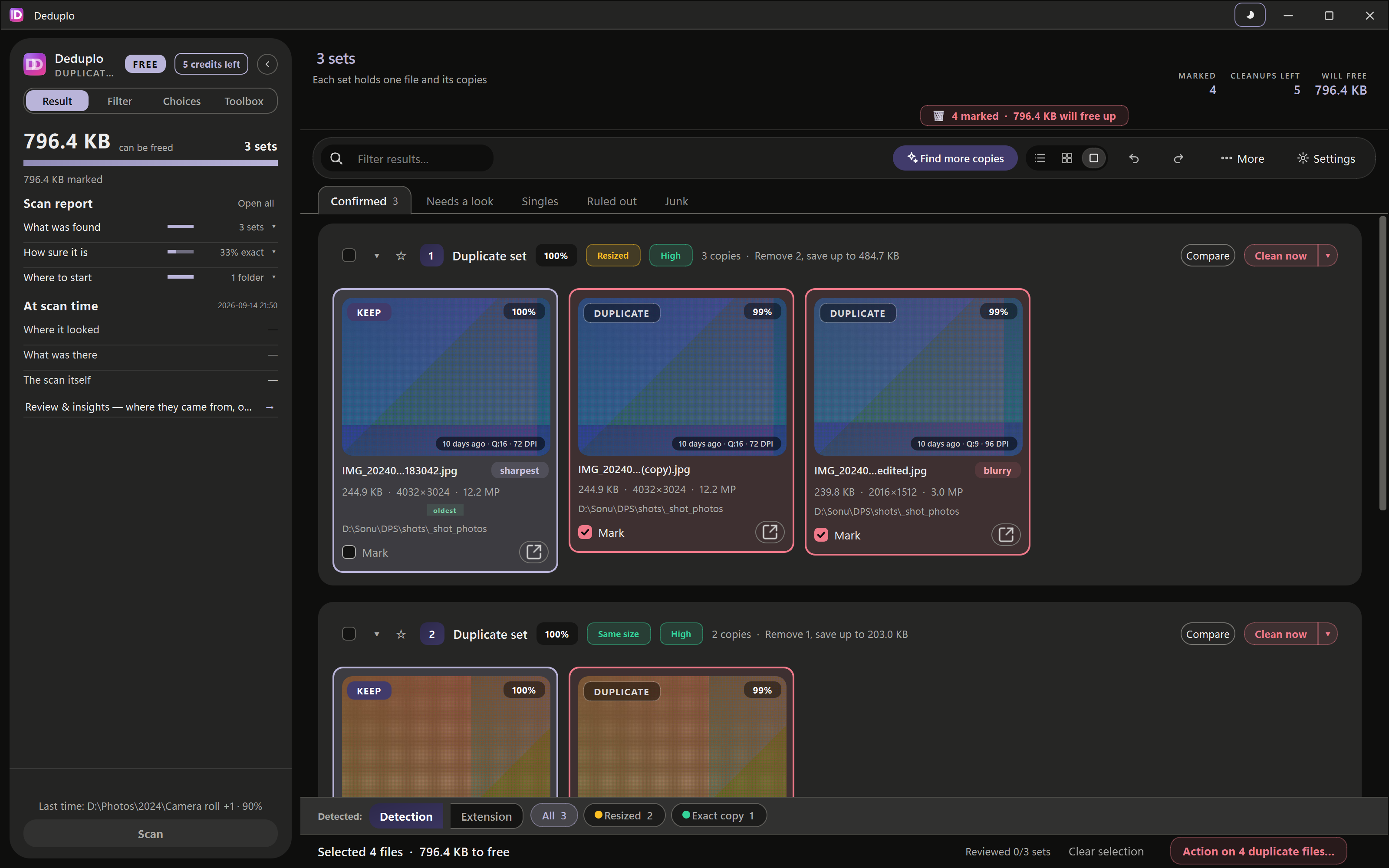
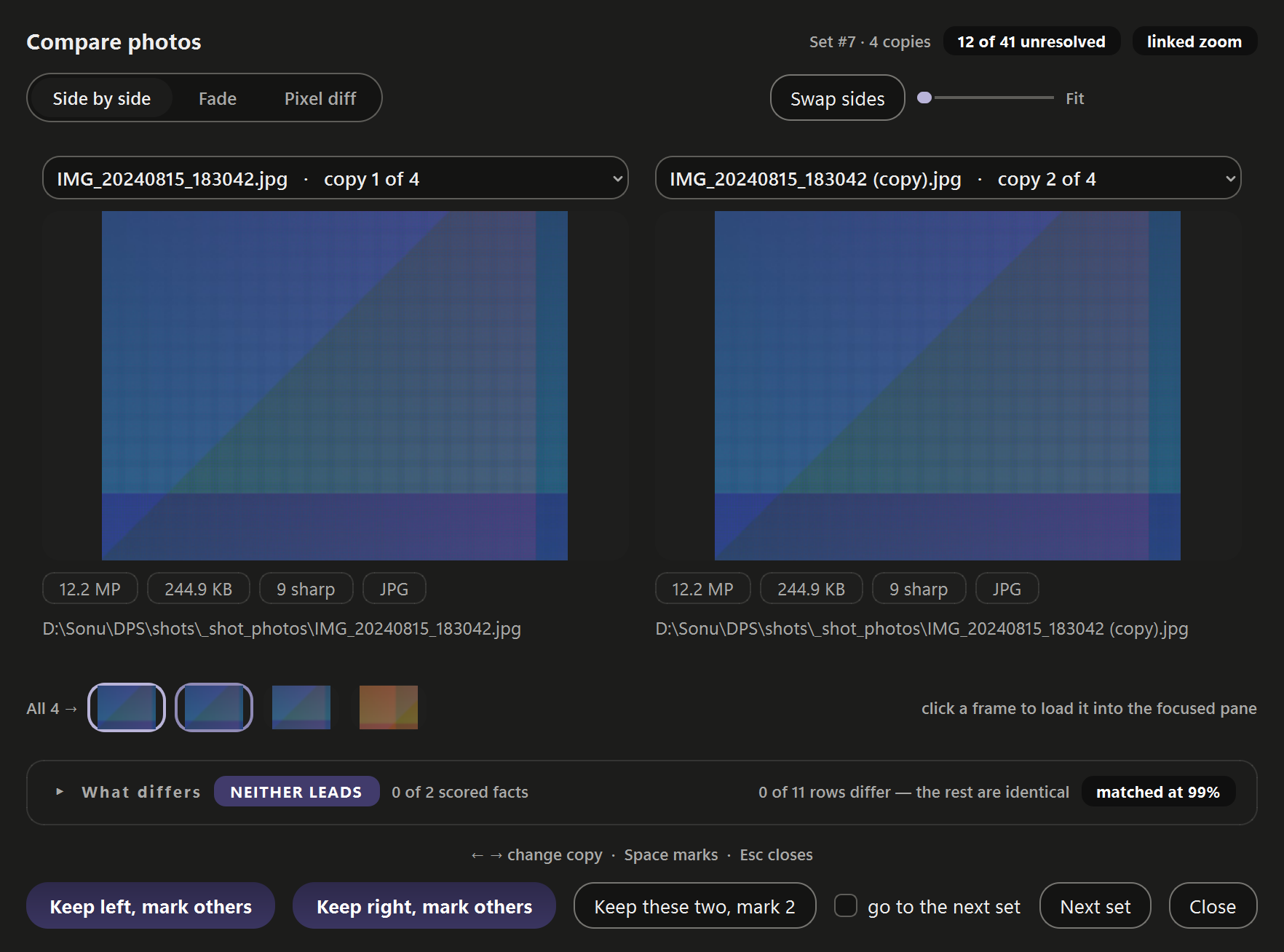
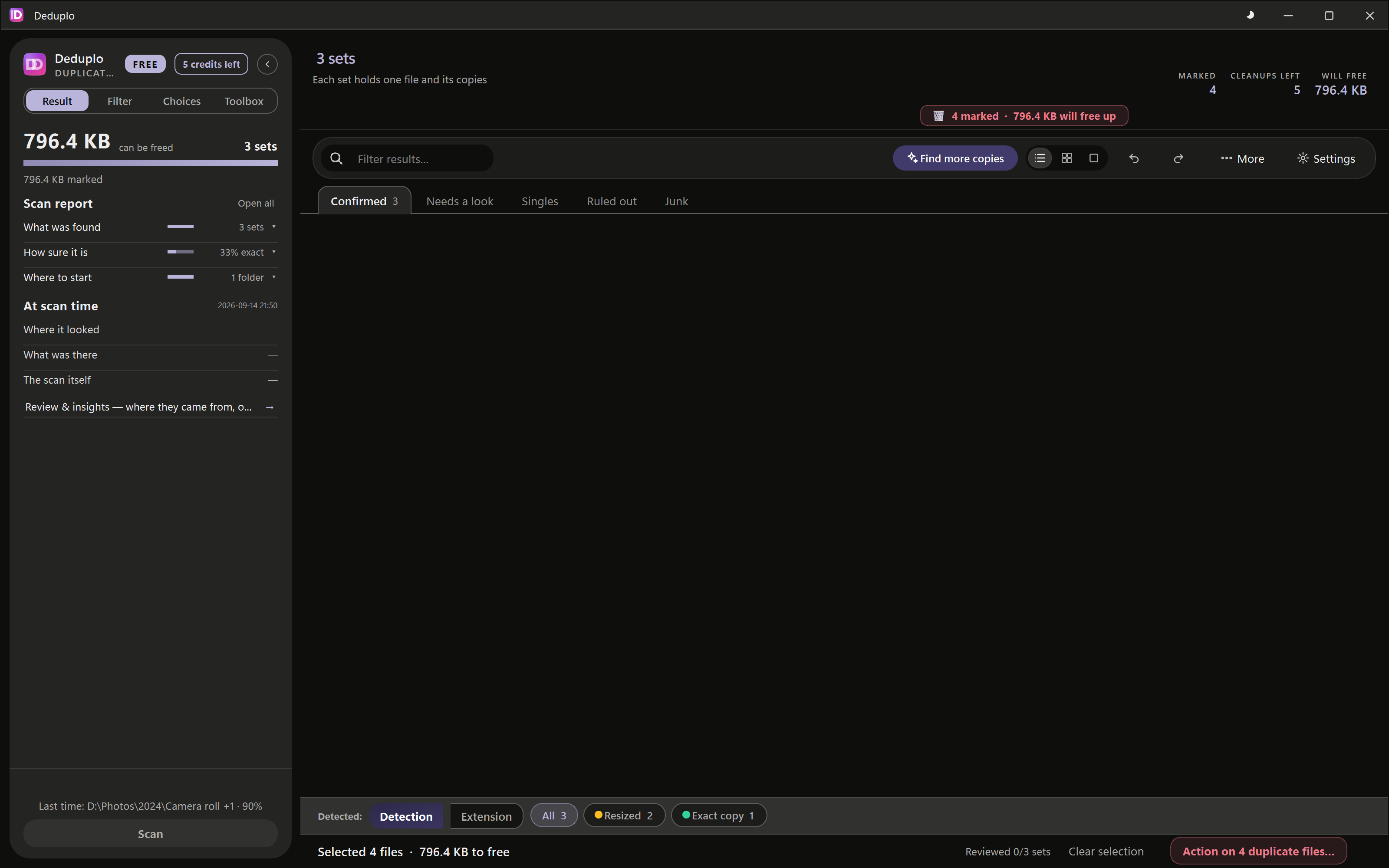
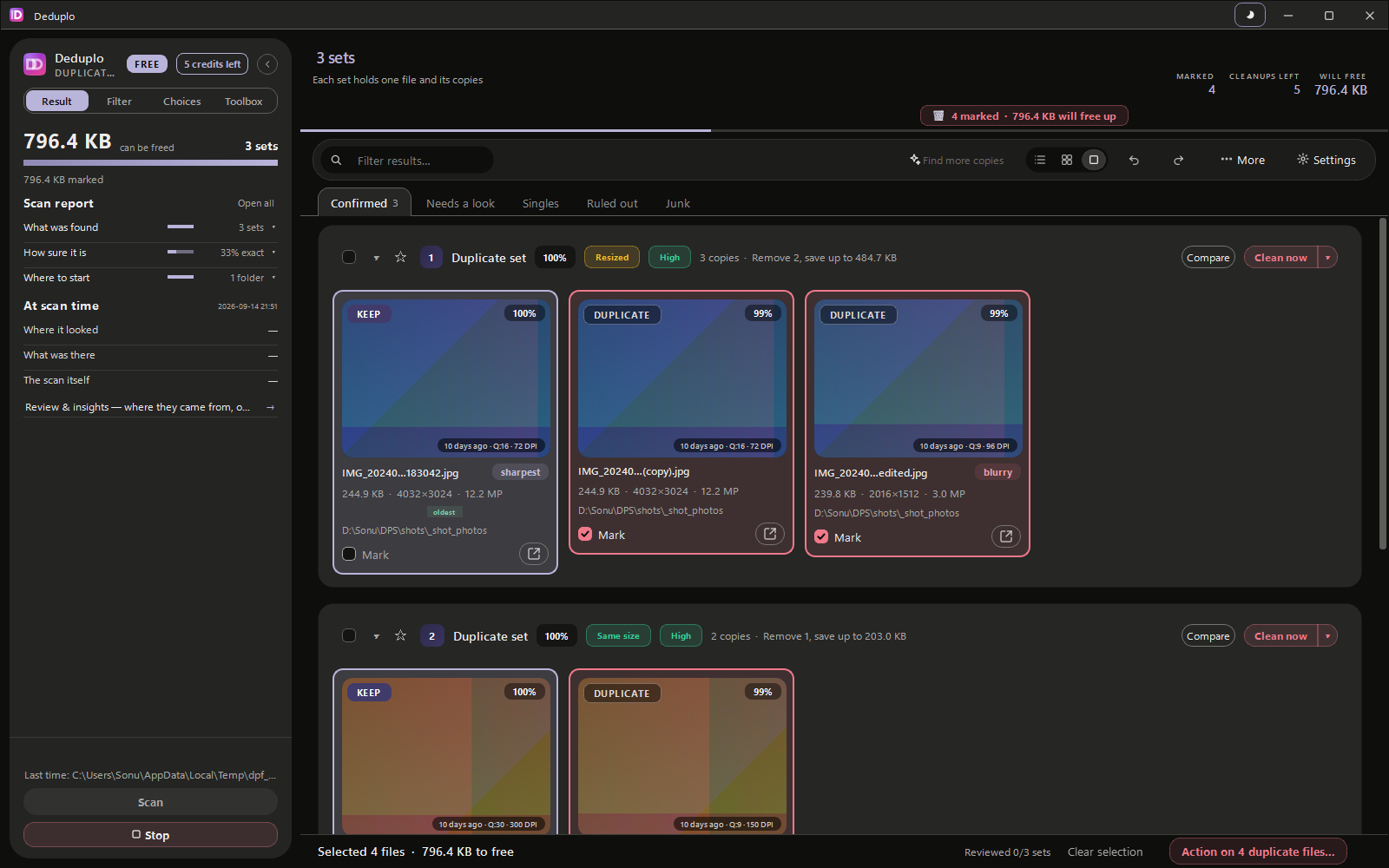
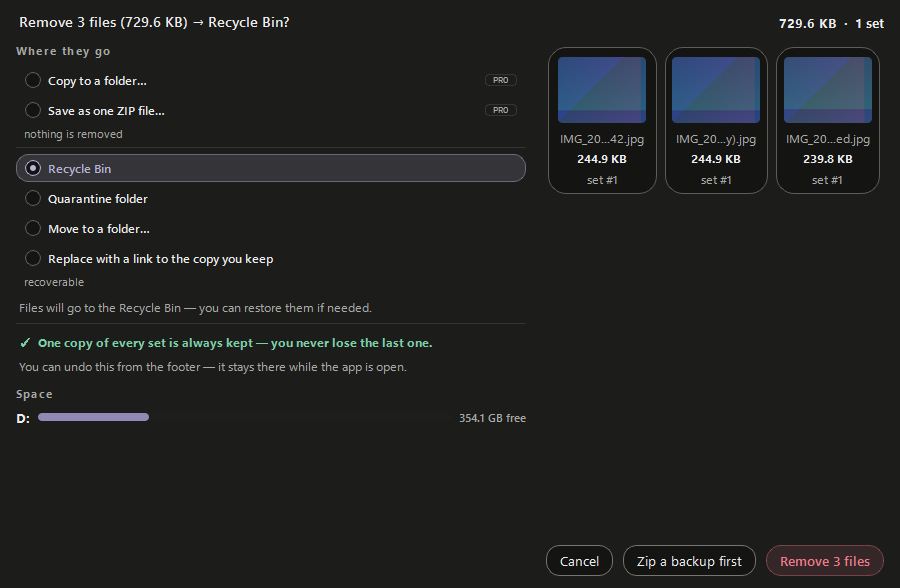
Duplicate sets, with the sharpest copy already kept Two copies compared side by side The same results as a sortable list The second pass looking for edited copies The removal window, asking where the files should go A breakdown of what the scan found
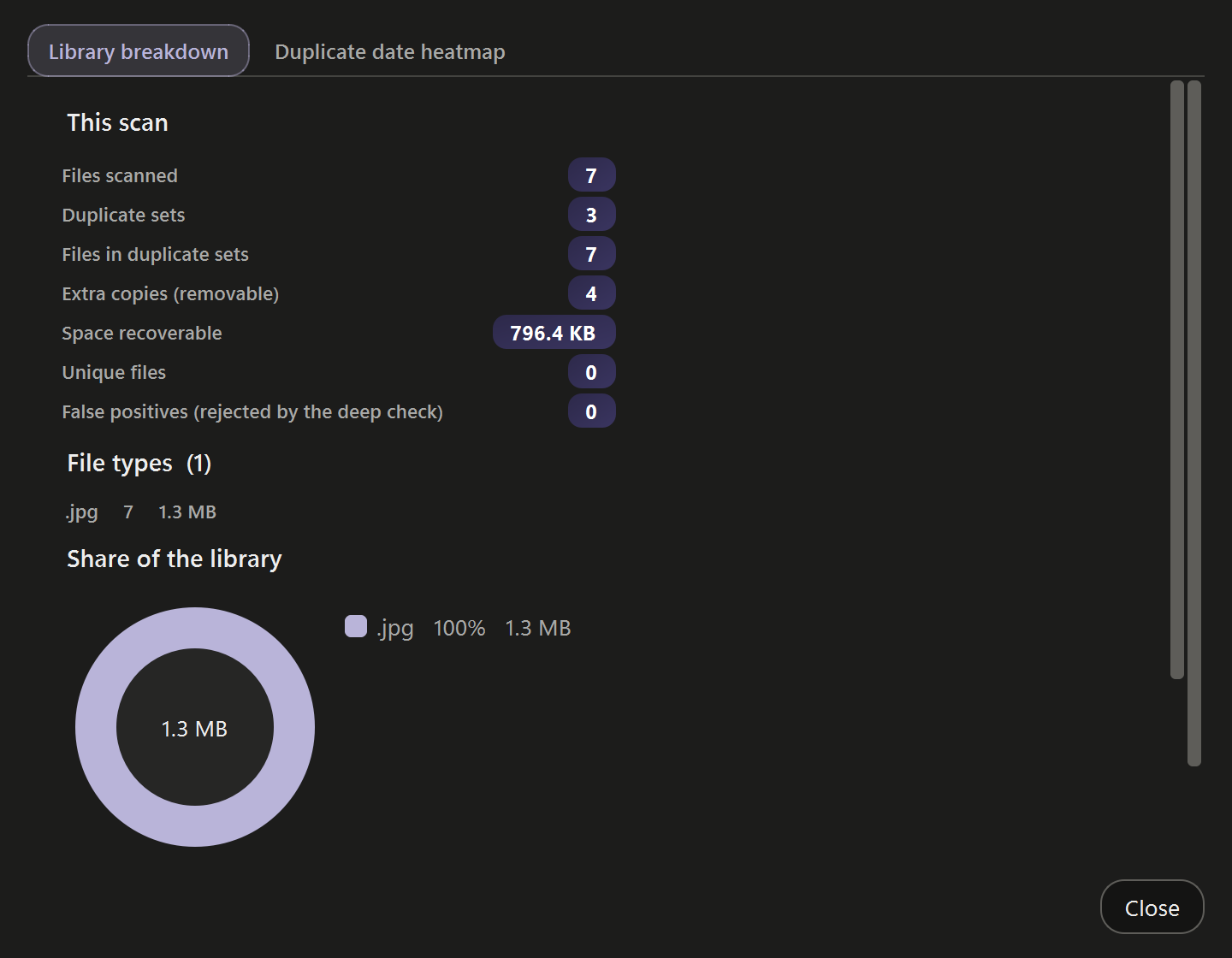
Every set keeps its best copy — the extras are already ticked. Side by side, fade or a pixel diff, with what actually differs listed. Sort by size, date or folder and mark a whole population at once. A second pass, on your own machine, for copies that were edited. Choose where they go — and one copy of every set is always kept. What was found, how sure it is, and how much space is coming back.
Your files never leave your machine
Pay once — no subscription
Recycle-Bin safe deletes
16 languages
Incremental re-scans
1

Point it at a drive and walk away

Folders, whole drives, or a camera card. It reads them in parallel across every CPU core, and the next scan only looks at what changed.

2

The keeper is chosen for you

Sets arrive grouped, sharpest copy already marked to keep. Disagree? One click. Not sure? Put the two side by side and see what differs.

3

Delete without holding your breath

Extras go to the Recycle Bin. One copy of every set is always kept, every batch can be undone, and each file is re-checked in the instant before it goes.

What it finds

A copy that isn't identical is still a copy.

Most finders compare bytes, so one re-save is enough to hide a duplicate from them for ever. Deduplo compares what the file actually is — the picture, the sound, the words — so the resized, re-encoded, re-saved twin turns up too.

Photos & camera RAW

The WhatsApp copy, the resized one, the one you cropped, the one you edited — and the RAW sitting beside its JPEG. 70 + 34 formats.

Video

The same film compressed for sharing, re-wrapped in another container, or kept at two sizes. Whole films, not just their file names. 37 formats.

Audio

One song ripped twice, at two bitrates, in two formats — the 320k and the 128k land in the same set, tags or no tags. 38 formats.

Documents & archives

report-final-v2.docx and the one beside it. It reads inside ZIP, TAR and 7z archives too — and never deletes anything out of one. 189 types.

ALSO

Edited-copy search

A second pass that runs on your own machine, finding filtered and colour-graded copies that ordinary matching walks past.

ALSO

Whole-folder copies

Finds folders that are copies of each other — a duplicated album, a second import of the same card — so you clear it in one go.

ALSO

Watch your folders

Keep an eye on the folders you cleaned. New copies are noticed while the app is open, and nothing is ever removed for you.

Questions

Everything else you might ask.

Is it safe? Could it delete something I need?

Every set always keeps at least one copy, and removals go to your Recycle Bin (or a quarantine folder) — never a permanent wipe unless you have switched Erase on in the scan setup, and the confirmation window says so before each batch. There's full multi-step undo, and each file's size and modified-time is re-verified right before deletion.

Do my files get uploaded anywhere?

Never. All scanning and hashing happen on your own machine, and your files are never sent anywhere. The app connects only to activate and check your licence.

How large a library can it handle?

It is built for big collections and changes strategy as the count rises. Re-scans are incremental — after the first scan it only looks at what changed.

Which file types does it read?

70 photo formats, 34 camera RAW, 37 video, 38 audio and 189 document types — plus it looks inside .zip / .tar / .7z archives. The full list is here, including which few are matched byte-for-byte only.

Can I buy for a team or an office?

Yes — write to us and we will set up a bulk licence. One standard licence covers one person and up to three computers that person uses.

What will I actually be charged?

$29.99 once, plus whatever tax your country adds at checkout — GST, VAT or sales tax. It is the same price everywhere; you are simply billed in your own currency, so the exact amount can differ slightly from day to day. There is no subscription and nothing renews.

How do I get my licence key?

By email, after payment. Paste it under Settings ▸ License and everything unlocks. Lost it? Ask us and we will resend it.